
Quick Answer: Warm, yes. Hot enough that it's uncomfortable to hold, no. Grinding generates heat by nature, but the tool's cooling system should keep it manageable during normal use with breaks.

Your angle grinder is the hardest-working tool in the shop and the worst at asking for help. It has no temperature gauge, no warning light, no little voice saying “hey, I’m cooking in here.” Its entire cooling system is a few slots in the body and the air you let flow through them — and when those slots clog with dust, the motor just keeps grinding until something gives.
The good news? A hot grinder is almost never a dead grinder. Most of the time it’s a tired disc, a clogged vent, or a hand leaning in too hard — and every one of those takes minutes to fix. This guide runs through all eight causes, the fastest fix for each, and the 60-second routine to run the moment your grinder gets too hot to hold.
Related reading: Why Does My Angle Grinder Spark So Much? (And When to Worry)
Safety first: Always wear eye protection, gloves, and a dust mask when grinding. Never remove the guard. If the grinder is painfully hot, stop and let it cool completely before continuing — pushing an overheating tool risks motor burnout or disc failure.
How hot is too hot?
Some heat is normal — grinding is high-friction work and motors warm up under load. Here’s the rough guide:
- Warm to the touch: normal, keep working
- Hot but holdable: working hard — take a break soon
- Too hot to hold comfortably: stop and cool down
- Smell of hot plastic or burning: stop immediately — something is wrong
- Smoke: stop immediately, unplug, inspect — do not continue
If you can’t keep your hand on the body for a few seconds, it’s too hot. Period.
The 8 most common causes of overheating
1. Pushing too hard
The #1 cause. An angle grinder cuts by speed, not pressure — the disc does the work at 10,000+ RPM. Bearing down hard slows the disc, which makes the motor draw more current to compensate, which generates heat. Fix: let the tool’s weight do the work. Guide it; don’t force it. If you’re leaning into it, you’re doing it wrong.
2. Dull or glazed disc
A worn disc doesn’t cut — it rubs. Rubbing generates enormous friction heat in both the disc and the motor (which strains against the resistance). Fix: replace the disc. Cutting discs are consumables; a fresh $3 disc outperforms a glazed one and runs far cooler. If sparks decrease and pressure increases, the disc is done.
3. Wrong disc for the material
Using a masonry disc on steel, or a grinding disc for cutting (or vice versa), forces the tool to work against the wrong abrasive. Fix: match the disc to the job: thin cutting discs for cutting, thick grinding discs for grinding, diamond blades for masonry, flap discs for finishing.
4. Blocked air vents
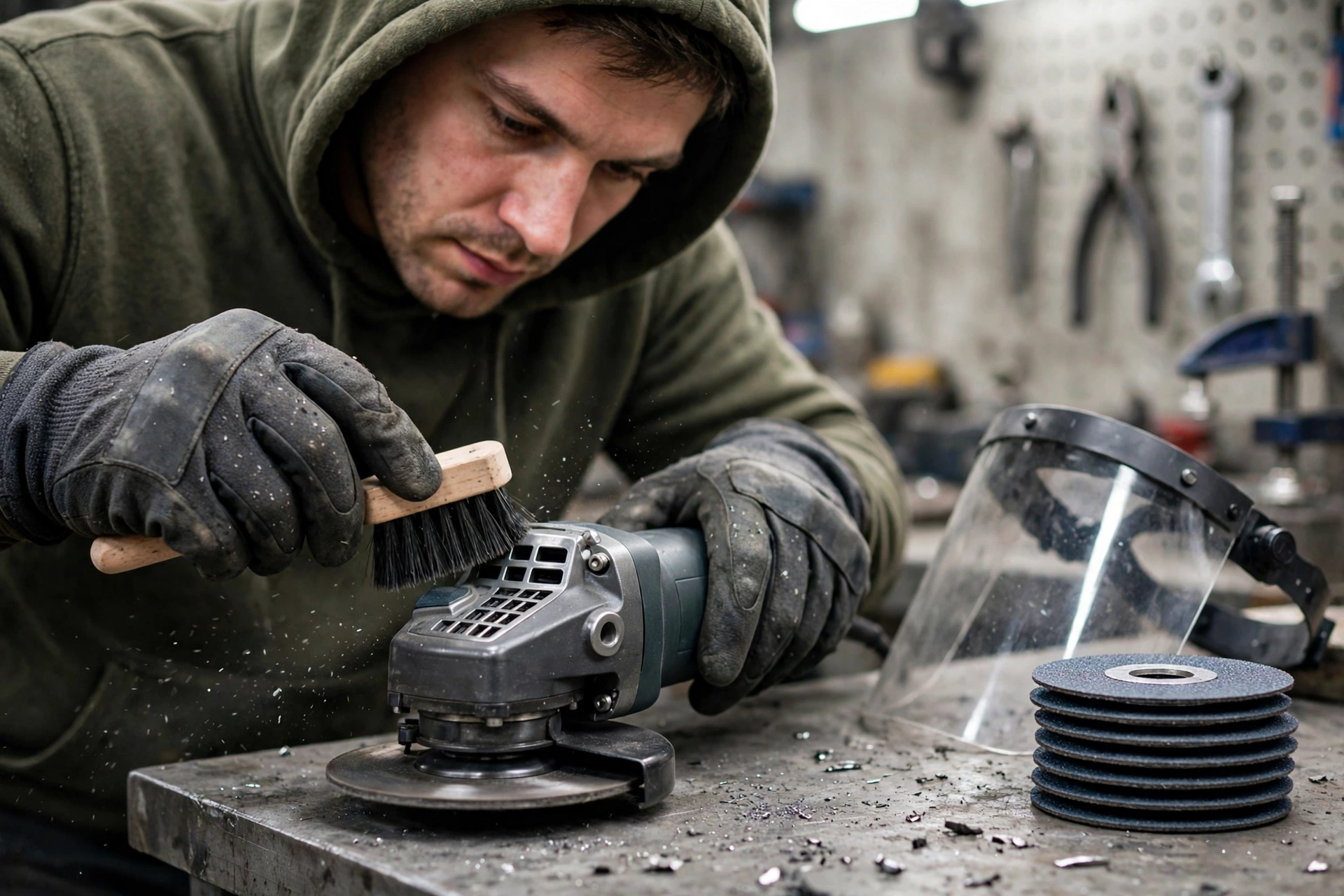
Grinder motors are air-cooled — vents on the body draw cooling air over the motor. Grinding dust packs into these vents fast, choking airflow. Fix: blow out the vents regularly with compressed air (tool unplugged). Check them before each session; clogged vents are one of the most common and most overlooked causes.
5. Running continuously without breaks
Angle grinders aren’t designed for nonstop use. Extended continuous grinding — especially on thick material — overwhelms the cooling system. Fix: work in intervals. Grind for a few minutes, then let the tool run unloaded (spinning freely) for 30 seconds — the fan still moves air without the cutting load — or set it down for a proper break.
6. Low battery (cordless models)
As a battery drains, voltage sags. The motor draws more current to maintain speed under load, generating extra heat — in both the motor and the battery. A hot battery plus a hot motor is a bad combination. Fix: swap to a fresh, fully charged battery. Bigger Ah packs also run cooler under load than small ones.
7. Worn brushes or failing bearings (older tools)
In brushed grinders, worn brushes arc and overheat. Failing bearings create mechanical drag that the motor fights — generating heat throughout. Symptoms: unusual noise, vibration, or sparking from the vents alongside the heat. Fix: replace brushes (cheap, easy); replace bearings or retire the tool if they’re shot.
8. Overloading beyond the tool’s capacity
A 4-1/2″ grinder asked to do a 7″ grinder’s job — cutting thick steel plate, grinding concrete for an hour — will overheat no matter what. Fix: match the tool to the task. For heavy material removal, step up to a bigger grinder or a different tool entirely.
What the Symptom Tells You — Keep This Chart Handy
Hot tool, no clue why? Match what you’re seeing to a row below — it points straight at the cause and the first thing to try.
| What you notice | Most likely cause | First fix to try |
|---|---|---|
| Tool gets hot only during long, heavy cuts | Running continuously without breaks, or pushing too hard | Stop cutting, let it run unloaded for 30–60 seconds if only warm, then work in shorter intervals |
| Hot, and cutting feels weak — the disc looks shiny or glazed | Dull or glazed disc | Replace the disc; a dull disc makes the motor work much harder |
| Hot only with one particular disc | Wrong disc for the material | Match the disc to the material and check its max RPM rating |
| Hot, with dust packed around the vents | Blocked air vents | Blow the dust out while it cools — never quench a hot motor with water |
| Hot, and the battery dies fast (cordless models) | Low battery | Swap in a fresh battery; a struggling battery makes the motor strain |
| Heat plus power loss, even with a fresh disc and light pressure | Worn brushes, failing bearings, or a dying motor | Check the warranty first — on a $50–$100 tool, replacement usually beats repair |
| Burning smell that persists after cooling and vent cleaning | Winding insulation breaking down | Stop using it — the tool is likely dying |
Stop rule: if the grinder is painfully hot, switch it off and set it down on a non-flammable surface — don’t push through the heat hoping it passes.
Keep This Chart Handy — What to Do in the First 60 Seconds
Your grinder is hot. Do not guess — match what you notice to a row below and act now. Every second of guessing is heat your motor never gets back.
| What you notice | Do this first | Then… |
|---|---|---|
| Warm to the touch | Normal — keep working | Take a break soon if it keeps climbing. |
| Hot but holdable | Stop cutting; let it run unloaded for 30–60 seconds — the fan still moves air without the cutting load | Work in shorter intervals from here on. |
| Too hot to hold comfortably | Switch off and set it down on a non-flammable surface | Wait until it is comfortable to hold — typically 10–20 minutes for a seriously hot tool. Never quench a hot motor with water: thermal shock can damage components. |
| Smell of hot plastic or burning | Stop immediately | Check the vents and the disc before restarting. If the smell persists after cooling and vent cleaning, the winding insulation may be breaking down. |
| Smoke | Stop immediately, unplug, and inspect — do not continue | Do not use the tool again until it has been repaired or retired. |
| Battery swelling on a cordless model | Stop using it entirely | Take it to the manufacturer or a proper recycling point — never the trash bin. |
Hot-day rule: at 35°C (95°F) or more in direct sun, halve all your grind times and rest the tool in the shade — ambient heat robs the cooling system.
How to cool down an overheating grinder
- Stop cutting immediately — remove the load
- Let it run unloaded for 30–60 seconds if it’s only warm (the fan cools the motor)
- If it’s very hot, switch off and set it down on a non-flammable surface
- Don’t quench it — no water, no compressed air directly into a hot motor (thermal shock can damage components)
- Check the vents while it cools — blow out dust
- Inspect the disc — look for glazing, cracks, or damage before restarting
- Wait until it’s comfortable to hold before resuming — then work in shorter intervals
Grinder Overheating — Prevention Checklist — Keep This Handy
| Prevention | What to do |
|---|---|
| Light pressure | Let the tool’s weight do the work — pressing hard slows the disc and heats the motor |
| Fresh discs | Replace glazed or worn discs promptly — a worn disc rubs instead of cutting, generating heat |
| Right disc | Match the disc to the material and task — the wrong abrasive overloads the motor |
| Clean vents | Blow out packed dust before each session (tool unplugged) — clogged vents choke cooling airflow |
| Work intervals | Grind a few minutes, then run unloaded for 30 seconds or set the tool down for a proper break |
| Full batteries | Swap before voltage sags (cordless) — a drained pack makes both motor and battery run hot |
| Right tool size | Don’t ask a 4-1/2″ grinder to do a 7″ grinder’s job — step up for heavy material removal |
| Maintenance | Replace worn brushes; check bearings on old tools — arcing brushes and dragging bearings cause heat |
How Long Can You Grind Without a Break? — Keep This Chart Handy
Most grinders don’t stamp a duty-cycle number on the side, so use the job as your guide. Grind times are per continuous session; “rest” means tool off, disc stopped, air flowing over it.
| The job | Grind, then rest | Why |
|---|---|---|
| Light deburring and sharpening — thin steel, 3 mm (1/8 in) or less | Grind 10–15 min, then rest 5 min | Low load; plenty of airflow between passes. |
| Cutting rebar or angle iron — 6–12 mm (1/4–1/2 in) | Grind 5–8 min, then rest 5–10 min | Medium load; dust starts clogging the vents here — brush them out during the break. |
| Cutting thick plate 12 mm (1/2 in)+, concrete, or masonry | Grind 3–5 min, then rest 10 min | Maximum load and dust. This is where most overheating deaths happen. |
| Grinding welds / heavy material removal | Grind 5 min, then rest 5 min | Sustained friction load — the motor works as hard here as in thick cutting. |
| Hot day — 35°C (95°F)+ in direct sun | Halve all the grind times above | Ambient heat robs the cooling system. Rest the tool in the shade. |
Pro tip: set a phone timer. “Just one more cut” is the sentence that kills grinders — the timer makes the break non-negotiable.
Repair or Replace? — Keep This Chart Handy
Not every hot grinder deserves a second chance — and not every dying symptom means the bin. Match your symptom to the call below before you spend a cent.
| What you’re seeing | What it likely means | The call |
|---|---|---|
| Burning smell from the vents that persists after cooling and vent cleaning | Winding insulation breaking down | Replace — especially on a $50–$100 tool, where replacement usually beats repair |
| Excessive sparking visible through the vents | Brushes gone or commutator damaged | Repair — a repair shop can cheaply swap worn brushes on a corded grinder |
| Heat plus power loss — the motor can’t maintain speed even with a fresh disc and light pressure | Motor failing | Replace — if it overheats quickly under light load with clean vents and a fresh disc, the motor is likely failing |
| Heat plus grinding noise | Bearing failure | Repair shop first — get a quote, and replace instead if the repair costs more than the tool is worth |
| Swelling battery on a cordless model | Failing battery — a fire risk | Stop using it entirely — take it to the manufacturer or a proper recycling point, never the trash bin |
| Any of the above while still under warranty | Covered fault | Use the warranty — opening the tool yourself voids most warranties |
The rule of thumb: when the windings are fried on a $50–$100 tool, replacement usually beats repair — but check the warranty first, every time.
Bookmark This Checklist — Grinder Care Calendar: 7 Habits That Stop Overheating Before It Starts
Overheating is a maintenance problem before it’s a repair problem. Run through this list and your grinder stays cool far longer.
- Before every session — blow out the air vents (tool unplugged). Grinding dust packs into the vents fast, and clogged vents choke the cooling airflow.
- Before every session — inspect the disc. Look for glazing, cracks, or damage before you switch on. A worn disc rubs instead of cutting, and rubbing makes heat.
- Before every session — start with a full battery (cordless). Swap before the voltage sags — a drained pack makes both motor and battery run hot.
- During every job — work in intervals. Grind for a few minutes, then run unloaded for 30 seconds or set the tool down for a proper break.
- After a hot job — cool it down properly. If it’s very hot, switch off, set it down on a non-flammable surface, and wait until it’s comfortable to hold. Never quench it with water — thermal shock can damage components.
- Match the disc to the material, every time. Thin cutting discs for cutting, thick grinding discs for grinding, diamond blades for masonry — the wrong abrasive overloads the motor.
- When sparking or a burning smell persists — stop and investigate. Excessive sparking through the vents means worn brushes or a damaged commutator; heat plus grinding noise means bearing failure. Don’t push through it.
When overheating means the tool is dying
Sometimes heat is a symptom of terminal problems:
- Burning smell from the vents that persists after cooling and vent cleaning — likely winding insulation breaking down
- Excessive sparking visible through the vents — brushes gone or commutator damaged
- Heat plus power loss — the motor can’t maintain speed even with a fresh disc and light pressure
- Heat plus grinding noise — bearing failure
If a grinder overheats quickly under light load with clean vents and a fresh disc, the motor is likely failing. For a $50–$100 tool, replacement usually beats repair — but check the warranty first.
When to call a pro (or use the warranty)
If the grinder is still under warranty, use it — opening the tool yourself voids most warranties. A repair shop can cheaply swap worn brushes or a damaged cord on a corded grinder. But when the windings are fried on a $50–$100 tool, replacement usually beats repair. One non-negotiable: on cordless models, a swelling battery means stop using it entirely and take it to the manufacturer or a proper recycling point — never the trash bin.
Is it normal for an angle grinder to get hot?
Warm, yes. Hot enough that it’s uncomfortable to hold, no. Grinding generates heat by nature, but the tool’s cooling system should keep it manageable during normal use with breaks.
Can an overheating angle grinder catch fire?
It’s rare but possible — melting insulation, igniting packed dust, or a failing battery (cordless) can all start fires in extreme cases. This is why you stop when it’s too hot, keep vents clean, and never leave a hot tool on flammable surfaces.
Why does my grinder overheat only with certain discs?
Thick or wrong-type discs increase load dramatically. A grinding disc used for cutting, or a disc that’s too aggressive for the motor’s power, will overheat any grinder. Match the disc to the task.
How long should I let it cool down?
Until the body is comfortable to hold — typically 10–20 minutes for a seriously hot tool. Running it unloaded for a minute first helps if it’s only moderately warm.
Does a bigger grinder overheat less?
Generally yes for the same task — a 7″ grinder cutting 1/4″ steel works far less hard than a 4-1/2″ grinder doing the same job. But bigger grinders are heavier and harder to control; buy the size that matches your typical work.
My new grinder overheats — is it defective?
Possibly, but check the basics first: Are you pushing too hard? Is the disc right and fresh? Are the vents clear? New tools overheat from technique far more often than from defects. If it overheats under light load with everything correct, use the warranty.
The verdict
| Symptom | Likely cause | Fix |
|---|---|---|
| Heats up during normal use | Pushing too hard / dull disc | Lighten pressure; fresh disc |
| Hot with burning smell | Blocked vents or failing motor | Clean vents; inspect/replace |
| Cordless gets hot fast | Low or small battery | Fresh, larger-Ah battery |
| Old tool suddenly overheating | Worn brushes/bearings | Replace brushes; check bearings |
| Overheats on heavy jobs | Undersized tool | Bigger grinder or different tool |
| Hot from the first use | Technique or defect | Check technique; warranty if defective |
An angle grinder should work hard without getting dangerously hot. When it overheats, it’s telling you something — usually that you’re pushing too hard, the disc is done, or the vents are choked. Listen to it: cool down, fix the cause, and the tool will last years longer.
Tool Worth Lab provides general DIY information only. Power tools can cause serious injury — when in doubt, consult a qualified professional.
Keep Reading
If this one helped, these are worth your time next:
- ⚠️ Angle Grinder Sparking Like Crazy? STOP! Read This Before You Get Hurt — sparks flying from the vents too? That’s a different problem — diagnose it here
- Angle Grinder Disc Keeps Breaking? DANGEROUS Mistake! — overheating sorted? Make sure a failing disc isn’t your next problem
- How to Use an Angle Grinder Safely (The Beginner’s Guide) — the safety rules that matter most when your grinder is already running hot
For official specifications and support documentation, see DeWalt’s official site.
For power tool safety standards, refer to OSHA’s guidelines.
Pingback: Why Does My Angle Grinder Disc Keep Breaking? (Causes & Fixes) - Tool Worth Lab